How to use a book recommender to find your next read
A good book recommender is like a librarian who knows you. The key is how you ask and how you respond. In this guide you will see, step by step, how to use Hikari Books with a real example: search for books to improve your productivity and organization.
If you want to go deeper, you can also review how the engine works (how the recommender works), see curated examples (recommendation examples) or explore by genre (genres we master).
1) Start by typing or choosing a category
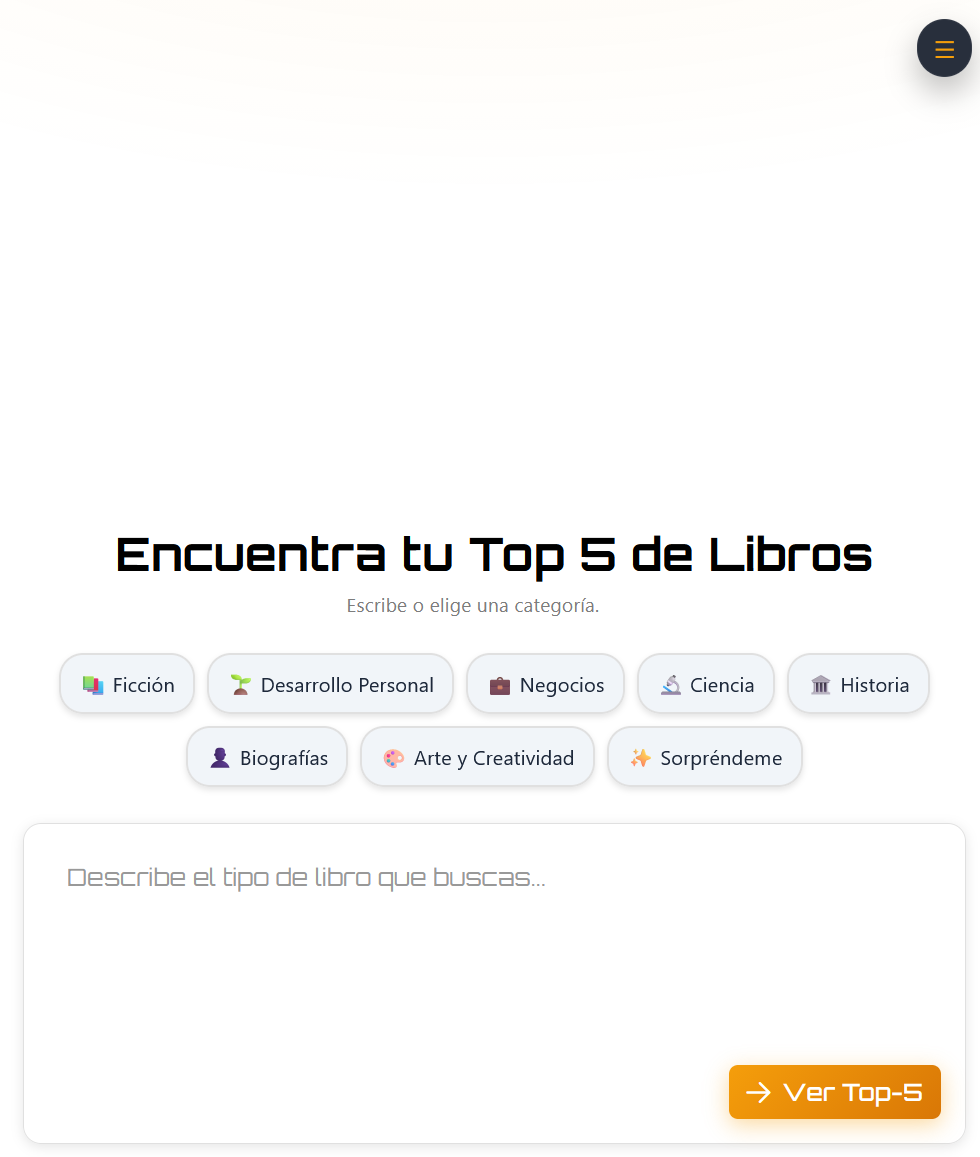
On the initial screen you will see the title "Find your Top 5 Books" and two options:
- Category Chips: Fiction, Personal Development, Business, Science, History, Biographies, Art and Creativity, or "Surprise Me."
- Text box: Write freely, for example "books to organize myself better" or "I want to improve my productivity."
You can touch a chip (e.g. "Personal Development") or write directly on the box. The orange "See Top-5" button sends your request.
2) Answer the adaptive questions
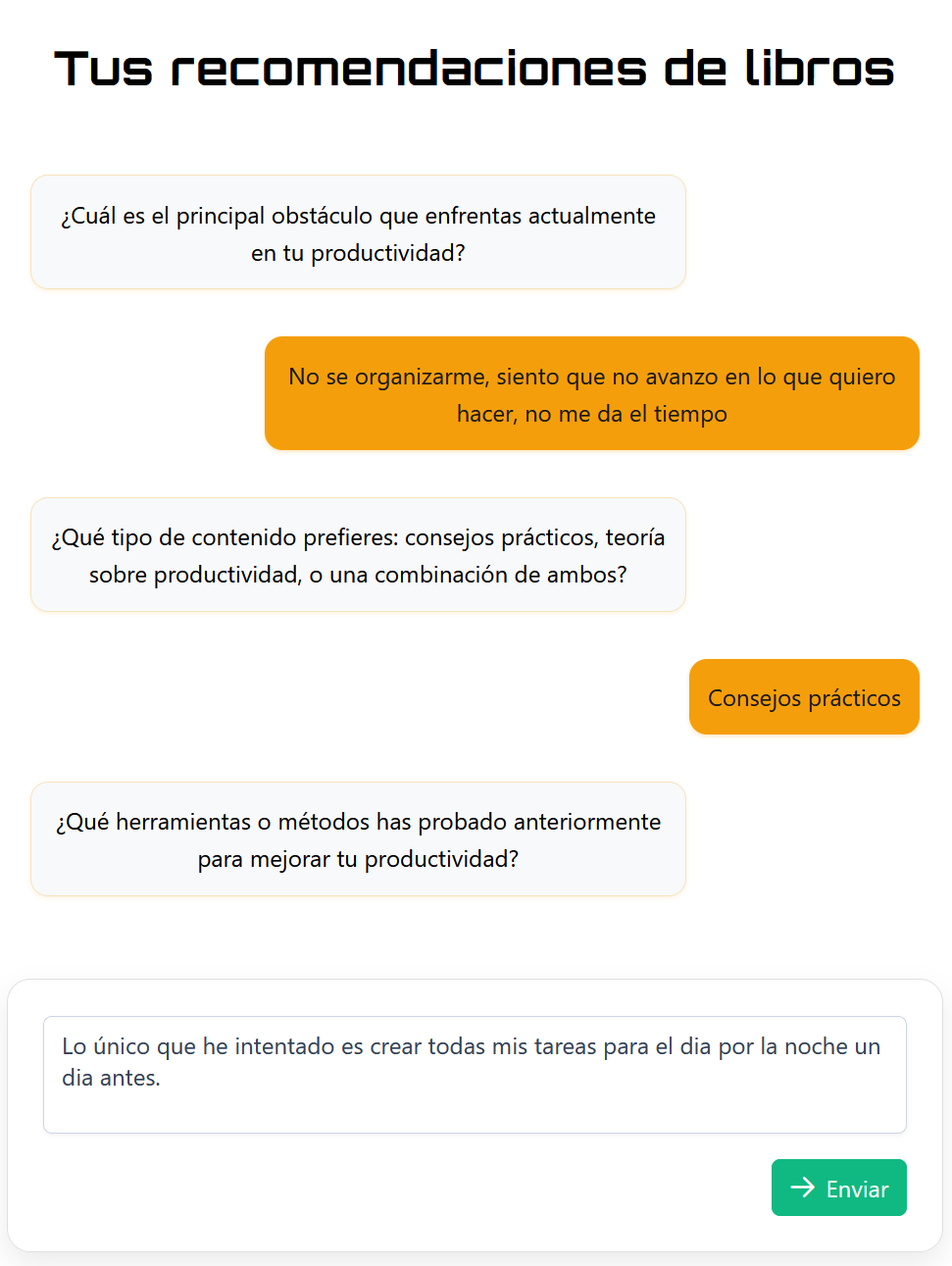
The system will ask you specific questions based on your topic. In the productivity example, you'll see questions like:
- "What is the main obstacle you currently face in your productivity?" Answer honestly, for example: "I don't know how to organize myself, I feel like I'm not making progress in what I want to do, I don't have the time."
- "Which type of content do you prefer: practical tips, productivity theory, or a combination of both?" If you want immediate action, choose "Practical Tips."
- "What tools or methods have you tried before to improve your productivity?" Tell what you have already tried, for example: "The only thing I have tried is to create all my tasks for the day at night a day before."
3) What happens while charging
You will see a blurry modal with a spinner and a quote. They are seconds: do not reload. We are searching catalogs and generating explanations.
4) Check your personalized Top-5
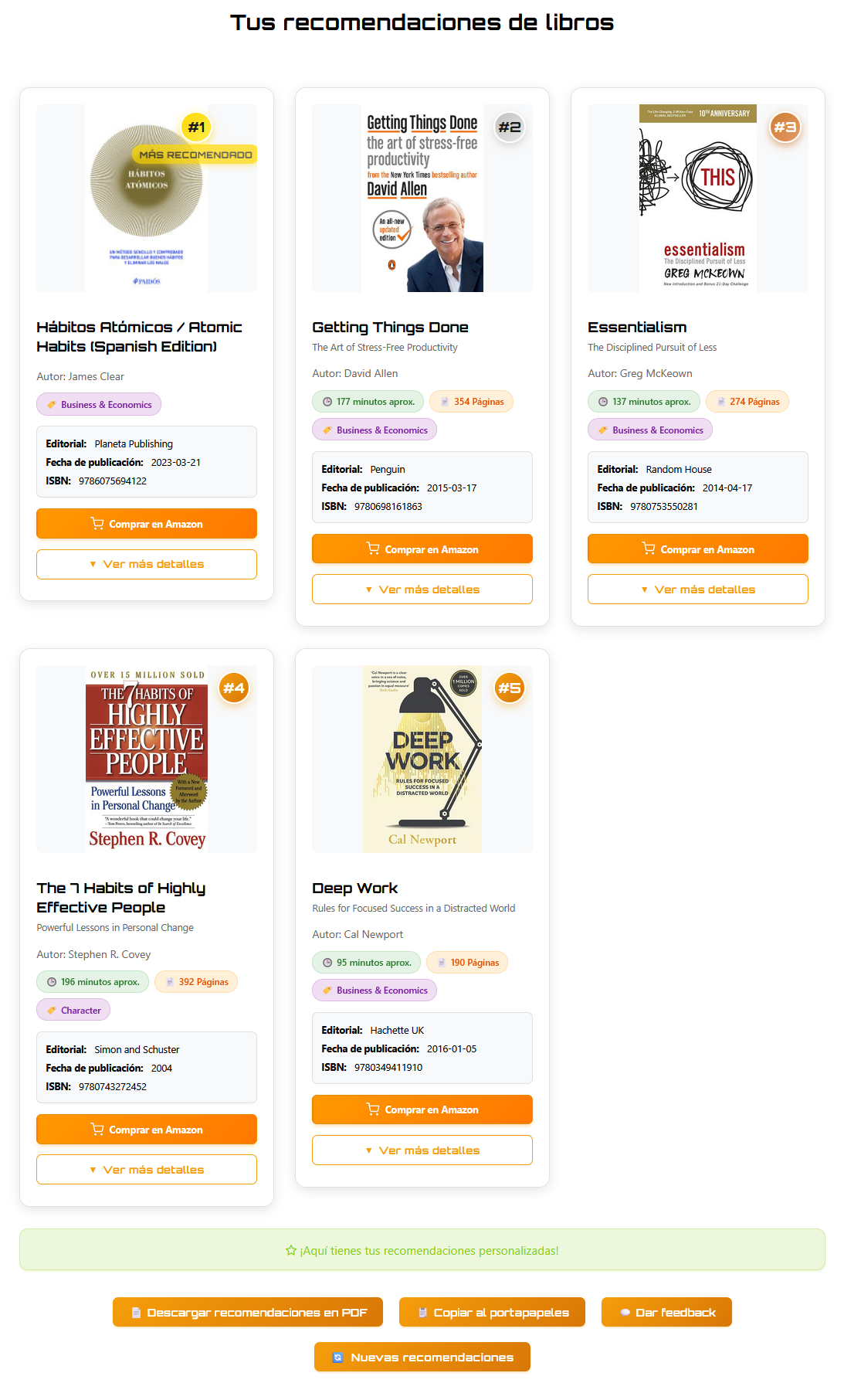
After a few seconds, you will see your 5 recommendations ordered by relevance. In the productivity example, the system recommended:
- #1 Atomic Habits (James Clear) - The most recommended for creating habit systems.
- #2 Getting Things Done (David Allen) - Proven methodology for stress-free organization.
- #3 Essentialism (Greg McKeown) - Focus on the essentials for greater productivity.
- #4 The 7 Habits of Highly Effective People (Stephen R. Covey) - Classic on personal effectiveness.
- #5 Deep Work (Cal Newport) - How to achieve deep concentration in a distracted world.
Each book shows:
- Ranking #1–#5: Badge with the order of relevance.
- Useful information: Publisher, publication date, ISBN, pages and estimated reading time.
- Personalized explanations: "Why this book" connects your answers to the content, and "Practical Application" tells you how to use it.
- Verified links: "Buy on Amazon" button with validated affiliate link.
- More details: The "See more details" button expands the full description, reasons for recommendation and practical application.
5) If you want to refine
- Ask for another tone: "more humor", "darker", "more technical".
- Adjust length: "shorter", "long series", "one-shot".
- Change pace: "more action", "more introspective", "more worldbuilding".
- Language: Say "I prefer Spanish/English" if you want to change it.
Try your next recommendation
Make your first request and respond in less than a minute. The Top-5 arrives in seconds.
Start the recommender →